Finish the song.
Hand the busywork to an agent.
ryolune is a complete DAW: record while you hear yourself through your effects, arrange, edit MIDI, mix on a real mixer and export stems, with 34 stock plugins and your own VST3, CLAP and Audio Units. When you would rather not quantise forty notes by hand, ask the built-in agent, or plug Claude Code, Codex or any MCP client straight into the song. Every edit it makes is one undo away.
Version 0.11.1 · free and MIT licensed · macOS, Windows, Linux · no account, no subscription, no telemetry · donations welcome
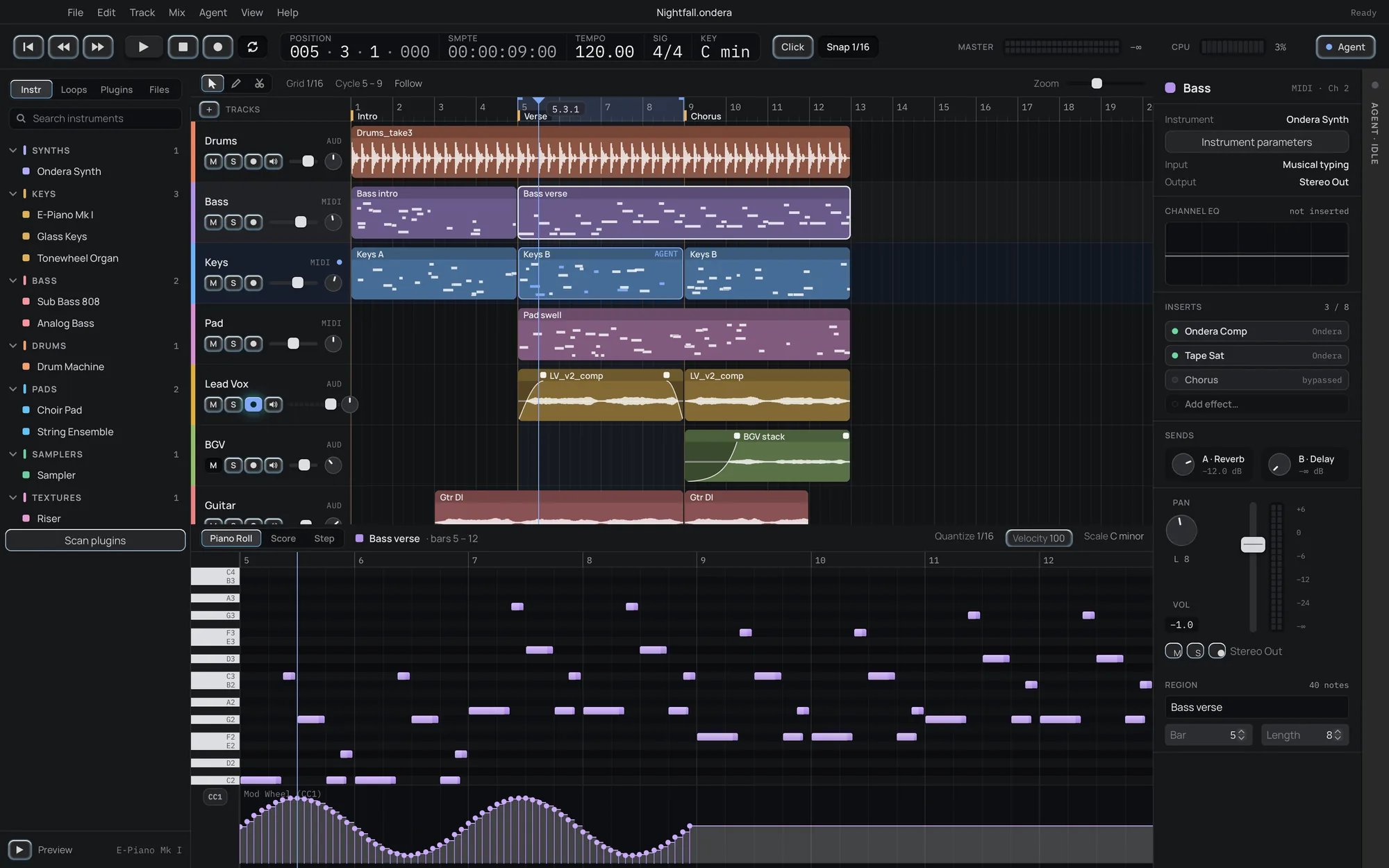
Everything between an idea and a bounced master.
Hear yourself, then shape the song
Arm a track and hear yourself through its effects, with a count-in that never clips the first word. Name sections with markers and loop them; split, trim, fade and snap from bars to 1/64. Drop audio or MIDI straight on the window.
Three editors on the same notes
Piano roll, score and step views, with a controller lane for mod wheel, sustain, pitch bend and pressure. Quantise, humanise, legato, velocity ramps, fit to scale and transpose.
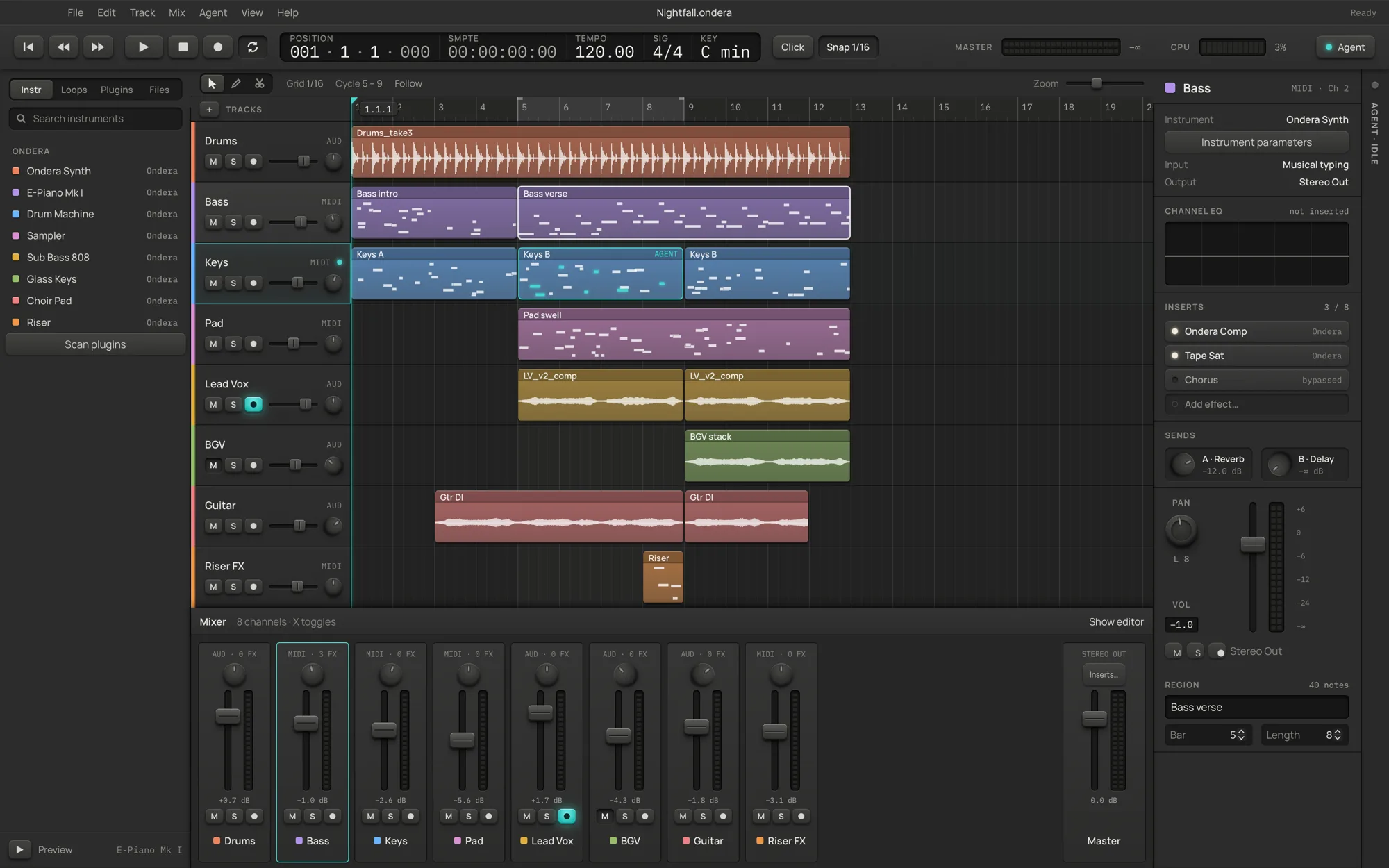
A real mixer
Fader, pan, mute, solo, arm, monitoring and live meters per channel, eight inserts a strip, your own buses and sends, a master chain and sample-accurate automation for any parameter.
34, sorted by sound
Eleven instruments, from a polysynth and an electric piano to an 808 and a string ensemble, and twenty-three effects. Each panel draws what it does from the same maths as the audio.
VST3, CLAP and Audio Units
Scanned in a separate process so one bad plugin cannot take the app down, filed by sound with favourites and recents, state saved inside the project. Or write native plugins in Rust with the SDK.
Mixes and stems
WAV up to 96 kHz or 32-bit float, AIFF, FLAC and Ogg Vorbis, for the song, a range or one file per track, plus 960-PPQ MIDI.
Songs that breathe
Tempo changes and ramps on a tempo track: a half-time bridge or a slow ritardando. Notes and markers stay on their bars; exports and the metronome follow.
Every command by name
⌘P opens a palette with every command. Single-key transport, tools and track toggles, and a shortcut sheet generated from the real bindings.
Hard to lose work
Rolling recovery snapshots, a rescue for interrupted takes, saves that never replace a good file with a bad one, and Ed25519-signed updates.
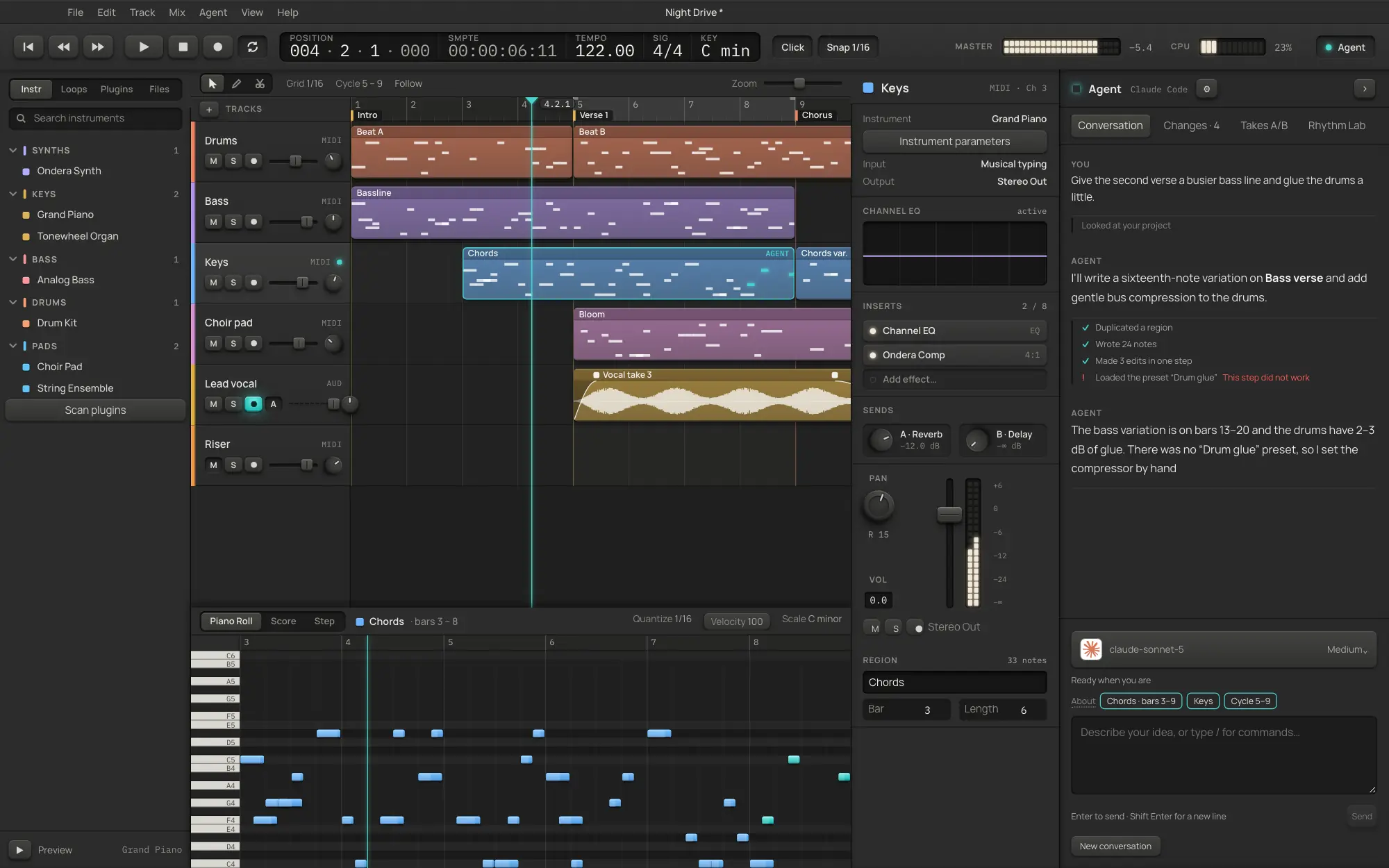
Ask for the edit. Keep the undo.
The agent panel streams its reply while it works and shows one card per command it runs. It uses the model you already pay for: Codex or Claude Code from their CLIs, an Anthropic or OpenAI key, or any OpenAI-compatible endpoint, including a local one.
- Slash commands for the common asks.
/beat,/chords,/humanize,/mix,/arrange,/diagnose, or plain language. - Undo from here. The Changes tab lists every change the agent made. Roll back to any point, or redo forward again.
- On a leash you hold. Permissions gate file access, transport, replacing the session, settings and quitting, for the panel and MCP clients alike.
- Nothing leaves your machine until you connect a provider and send a prompt. Everything else works offline.
Tighten the comp on Keys B, bars 5–8. Keep it human.
clip.quantize { clipId: "keys-2", grid: "1/16", strength: 0.6 }
✓ { "ok": true, "notes": 20, "moved": 14 }
Quantised 20 notes to 1/16 at 60 % strength and lifted the off-beat velocities by 8. It is one undo step, like any edit you make.
# the whole song in one call
ryolune-cli session.overview
ryolune-cli track.add --kind midi --name Keys --instrument "E-Piano Mk I"
ryolune-cli plugin.list --query reverb
ryolune-cli history.undo
ryolune-cli --file song.ryolune session.exportAudio --path mix.flac

# plug it into Claude Code, live on the open song
claude mcp add ryolune -- /Applications/ryolune.app/Contents/MacOS/ryolune-mcp --live
The window, the built-in agent, ryolune-cli and ryolune-mcp all run the same command registry, with the same undo history. None of them is privileged.
Not a mock-up. This is what you download.
Six themes, each in dark and light.
Pick the look you want to stare at for six hours, or let the mode follow your system. Every theme is computed, not painted: one neutral ramp, one accent, and text contrast tested on every surface.
Skeuomorphic. Milled hardware under one light from above. Graphite in the dark, champagne aluminium in the light, smoked-glass displays in both.
What moving over actually looks like.
No DAW reads another DAW's project files, and ryolune does not pretend to. Here is what comes with you, what is better on this side, and what is not here yet.
- Your plugins. VST3 and CLAP everywhere, Audio Units on macOS.
- Your audio. Bounce stems and drop them in.
- Your MIDI. Standard MIDI files in and out, controllers included.
- Your habits. Space plays, R records, C cycles, ⌘T splits.
- Free, for good. No tiers, no dongle, no track limit.
- Linux included, from the same pipeline and tests.
- An agent that can actually edit, in your undo history.
- A file you can read: plain JSON with the audio inside.
- Time stretching and warping.
- Take comping.
- Time signature changes inside a song.
- MP3 export, VST2 and AAX.
Download ryolune 0.11
Free and MIT licensed, every update included. Archives include the ryolune-cli and ryolune-mcp companions, and the app updates itself from signed releases.
Release notes and checksums · Build from source · Report a problem
Fair questions.
Is it really free? What is the catch?
Yes. ryolune is MIT licensed and free forever, every update included, with no paid tier, account or track limit. If it earns a place in your music you can donate, and nothing unlocks when you do. The agent uses whichever model provider you connect, and that provider may charge you; the DAW works fully without one.
Do I have to use the AI?
No. The agent stays idle and nothing is sent anywhere until you connect a provider and send a prompt. Every feature except the agent works offline.
What can the agent touch?
Only what the permission switches in Settings allow. By default it can edit the session, import and export files and run the transport; replacing the session, changing settings and controlling the app are off until you turn them on. Whatever it changes is in your undo history.
Will my plugins work?
VST3 and CLAP plugins load on macOS, Windows and Linux, and Audio Units on macOS, as long as they match your processor architecture. VST2 and AAX are not supported. Plugin editor windows open on macOS; elsewhere you get ryolune's parameter panel.
Can I open my Ableton, Logic or FL Studio projects?
No, and no other DAW can either. Export stems and MIDI from the old project and import them. It takes a few minutes per song.
Is it stable enough for real work?
It is a young 0.x project. Each release must pass the engine tests and a scripted full-song session (record, edit, save, reopen, export) on every platform before it ships, and recovery snapshots run in the background. Keep backups, as with any DAW.
Free forever. Donations welcome.
ryolune is built by one person and costs nothing, now and later. If it earns a place in your music, you can donate, once or every month. Everyone gets the same app either way.